

8 Best Skype Alternatives for International Calls in 2026

In today's interconnected world, reliable and affordable international communication is more crucial than ever. While Skype was once the gold standard, the landscape of communication platforms has shifted. Since Microsoft moved to sunset the classic version of the app in 2025, users have been searching for a skype alternative that offers better stability and lower rates. As we navigate 2026, finding the best skype alternative means looking for tools that handle video conferencing, group chat, and voip calls seamlessly.
Looking for a specific service? We keep dedicated, regularly updated comparisons of every major calling app (Rebtel, Yolla, Viber Out, Boss Revolution, Talk360 and more), plus a ranked list of the best international calling apps in 2026.
Introduction to Skype Alternatives
Many users are actively seeking an alternative to skype due to cost, bloated features, or inconsistent call quality. While some want a free skype alternative for personal use, others need a professional skype replacement for business communication. The evolution of messaging apps has made it easier to find apps similar to skype that provide a better user experience without the need for traditional skype credit.
Overview of VoIP Technology
VoIP (Voice over Internet Protocol) powers most modern communication tools. It allows you to make calls over the internet to landlines and mobile phones, often at a fraction of the cost of traditional carriers. Understanding how a communication platform utilizes voIP is key to ensuring your international call quality remains high.
Importance of Choosing the Right App
The best alternative to skype depends on your specific needs: do you need screen sharing for a video meeting, or a simple phone number to reach family abroad? From team chat to voice and video calls, the right tool should integrate into your daily workflow.
Top 8 Best Skype Alternatives
1. BoraPhone: Top Choice as an alternative to skype.
Best for: Professionals, travelers, expats, remote workers, and anyone who needs instant international calling without downloads or complications.
BoraPhone represents a modern approach to international calling that eliminates the friction points of traditional VoIP services. This communication platform offers a streamlined experience designed specifically for users who need to make international calls quickly and reliably.
Key Features:
-
Browser-Based Calling: No app downloads required. Open your browser, dial, and connect. Works on any device with internet access, laptop, tablet, or smartphone.
-
Instant Setup: Get started in under two minutes with just an email. No phone number verification, no waiting periods, no complicated onboarding process.
-
Pay-As-You-Go Pricing: Only pay for minutes you actually use. No monthly subscriptions, no hidden fees, no commitment. Add credits when you need them.
-
180+ Countries: Call landlines and mobile numbers across the globe with competitive per-minute rates, often 75% cheaper than traditional carrier rates.
-
Virtual Numbers: Purchase local numbers from countries that matter to you. Show a familiar caller ID when reaching out to family, clients, or business contacts.
-
Call Recording: Built-in recording feature for business calls with instant AI transcripts, making it easy to reference important conversations.
-
Team Features: Unlimited team members can share one account and balance, perfect for distributed teams making international calls.
-
24/7 Human Support: Real people respond within 5 minutes, not automated chatbots or ticket systems that take days.
-
Full Encryption: Every call is secured with industry-standard encryption, keeping your conversations private.
-
Money-Back Guarantee: If a call doesn't work as expected, you get a 100% refund automatically.
Why Choose BoraPhone:
BoraPhone excels at being exactly what it claims to be: a simple, reliable tool for making international calls. There's no bloat, no unnecessary features, and no confusing pricing structures. If you need to call a bank in Spain, a client in Singapore, or family in Poland, you open a browser tab and dial. The interface is clean and intuitive - you see the per-minute rate before you call, know exactly what you'll pay, and connect in seconds. A big bonus is of course that your first call is free.
For business users, the team collaboration features are particularly valuable. Multiple team members can make calls from the same account, share credits, and access call recordings without juggling multiple subscriptions or payment methods. The AI transcription feature turns conversations into searchable text, making follow-ups and documentation effortless.
Pricing: Transparent per-minute rates starting from $0.02/minute for landlines in major markets. No inactivity fees, no monthly fees, no commitments.
Ideal For: Anyone who values simplicity, transparency, and instant access over feature bloat. Perfect for remote workers, digital nomads, international businesses, and anyone tired of complicated VoIP apps.

2. Zoom: The Video Conferencing Giant
Best for: Teams and businesses that need professional video conferencing alongside voice calling capabilities.
Zoom transformed from a niche business tool into a household name, becoming synonymous with video meetings during the global shift to remote work. While primarily known for video conferencing, Zoom has expanded its offerings to include Zoom Phone, a comprehensive VoIP solution for business communication.
Key Features:
-
HD Video Conferencing: Host meetings with up to 1,000 participants (on enterprise plans) with crystal-clear video and audio quality.
-
Zoom Phone: Full VoIP phone system with call routing, voicemail, SMS, and international calling capabilities.
-
Screen Sharing: Share your entire screen or specific applications with one click, essential for presentations and collaboration.
-
Recording and Transcription: Record meetings locally or to the cloud, with AI-powered transcription available on paid plans.
-
Breakout Rooms: Split large meetings into smaller groups for focused discussions, then bring everyone back together.
-
Virtual Backgrounds: Professional background options or custom images to maintain privacy or brand consistency.
-
Calendar Integration: Seamlessly integrates with Google Calendar, Outlook, and other scheduling tools for effortless meeting planning.
-
Mobile Apps: Full-featured iOS and Android apps that maintain quality and functionality on the go.
-
Waiting Rooms: Control who enters your meetings and when, adding an extra layer of security and professionalism.
Why Choose Zoom:
Zoom's strength lies in its reliability and polish. The platform handles large video conferences with remarkable stability, even when participants are spread across different continents with varying internet speeds. The user experience is consistently smooth, joining a meeting requires minimal clicks, and the interface is intuitive enough for non-technical users while offering advanced controls for power users.
For businesses already invested in video conferencing, Zoom Phone extends the platform into a complete communication solution. However, it's worth noting that Zoom is built primarily for meetings, not quick international calls. If your main need is dialing a phone number in another country, Zoom may feel like overkill.
Pricing: Free plan allows 40-minute meetings with up to 100 participants. Paid plans start at $14.99/month per license. Zoom Phone requires separate subscription starting at $10/month per user.
Limitations: International calling rates can be expensive compared to dedicated VoIP services. The free plan's 40-minute limit can interrupt important conversations. Not ideal for casual or infrequent international calls due to subscription model.
Ideal For: Businesses that need robust video conferencing as their primary communication method, with international calling as a secondary feature.
3. Microsoft Teams: The Enterprise Communication Hub
Best for: Organizations already using Microsoft 365 that need integrated communication, collaboration, and project management in one platform.
Microsoft Teams has positioned itself as the central hub for workplace collaboration, combining chat, video conferencing, file sharing, and VoIP calling into a single ecosystem. It's Microsoft's answer to Slack, Zoom, and traditional phone systems rolled into one comprehensive platform.
Key Features:
-
Deep Microsoft 365 Integration: Seamlessly connects with Outlook, SharePoint, OneDrive, Word, Excel, and other Microsoft products you already use.
-
Persistent Chat: Organized conversations by teams and channels, with threaded discussions that maintain context over time.
-
Video and Voice Calling: Built-in VoIP calling with support for international numbers, call forwarding, voicemail, and conferencing.
-
File Collaboration: Edit documents together in real-time without leaving the Teams interface, changes sync instantly across all users.
-
Third-Party App Integration: Hundreds of apps and bots available through the Teams app store, from project management tools to CRM systems.
-
Guest Access: Invite external collaborators to specific teams or channels without requiring them to have Microsoft 365 accounts.
-
Advanced Security: Enterprise-grade security features including data loss prevention, multi-factor authentication, and compliance tools for regulated industries.
-
Meeting Recording: Record meetings with automatic transcription, making it easy to review discussions and share with absent team members.
-
Phone System: Full PBX capabilities with auto-attendants, call queues, and sophisticated routing options for enterprise deployments.
Why Choose Microsoft Teams:
If your organization already pays for Microsoft 365, Teams represents incredible value, it's included in most subscriptions at no additional cost. The integration with existing Microsoft tools means your team can move fluidly between email, documents, and conversations without switching platforms. This reduces friction and keeps work flowing smoothly.
For international calling, Teams supports dial-in numbers from dozens of countries and offers competitive calling plans for frequent users. However, it's important to understand that Teams is designed for organizations, not individuals. The learning curve can be steep for teams transitioning from simpler tools, and the sheer number of features can feel overwhelming if you only need basic calling functionality.
Pricing: Included with Microsoft 365 Business subscriptions (starting at $6/month per user). Standalone Teams Essentials starts at $4/month per user. International calling requires separate calling plans starting at $8/month.
Limitations: Overkill for small teams or personal use. Can be complex to set up and administer. International calling costs can add up quickly without the right plan. Requires Microsoft ecosystem buy-in for maximum value.
Ideal For: Medium to large businesses already using Microsoft 365, particularly those needing integrated collaboration tools alongside international calling capabilities.

4. MyTello: Budget-Friendly International Calling
Best for: U.S.-based users seeking the absolute lowest rates for international calls, especially those calling the same countries regularly.
MyTello takes a different approach to international calling by using local access numbers to route calls internationally. This unique system allows users to make cheap international calls from any phone, including traditional landlines, without requiring internet access or smartphone apps.
Key Features:
-
Access Number System: Dial a local U.S. access number, then dial your international destination. Works from any phone, anywhere.
-
No App Required: Make international calls from basic phones, office landlines, or hotel phones without installing software.
-
Extremely Low Rates: Some of the most competitive per-minute rates available, particularly for popular destinations like India, Mexico, and the Philippines.
-
Custom Plans: Build your own plan by selecting specific countries you call most frequently for even better rates.
-
Speed Dial: Save frequently called numbers for one-touch dialing through the access number system.
-
Call Quality Monitoring: MyTello monitors routes in real-time and automatically switches to better connections when quality degrades.
-
Online Account Management: Web dashboard to view usage, add credits, and manage your account from anywhere.
-
No Contracts: Month-to-month service with no commitments or cancellation fees.
Why Choose MyTello:
MyTello's brilliance lies in its simplicity and accessibility. You don't need a smartphone, stable internet, or technical knowledge. Your elderly relatives who still use flip phones can benefit from international calling rates. Business travelers can make international calls from hotel rooms without expensive hotel phone charges or unreliable wifi.
The rates are genuinely impressive, often beating even the most competitive VoIP services for specific country pairs. If you frequently call family in India or Mexico, MyTello's targeted plans can save hundreds of dollars annually compared to traditional carriers.
Pricing: Pay-as-you-go rates starting as low as $0.05/minute for select countries. Custom plans with unlimited calling to specific countries starting at $6/month. No monthly fees if you use pay-as-you-go option.
Limitations: Only practical for users physically located in or calling from the U.S. No video calling or chat features. The access number system, while clever, adds an extra step to each call. Limited features compared to full communication platforms.
Ideal For: U.S. residents who primarily need voice calls to international destinations at the lowest possible cost, especially those without reliable internet access.

5. WhatsApp: The Universal Messaging Platform
Best for: Personal communication with friends and family who already use WhatsApp, particularly in regions where WhatsApp is the dominant messaging platform.
With over 2 billion users worldwide, WhatsApp has become the de facto communication standard in many countries. What started as a simple messaging app has evolved into a comprehensive platform offering voice calls, video calls, and business features, all for free.
Key Features:
-
Free Calls Worldwide: Unlimited voice and video calls to any WhatsApp user, anywhere in the world, using only your data connection.
-
End-to-End Encryption: All messages, calls, and shared media are encrypted by default, ensuring privacy and security.
-
Group Chats: Create groups with up to 1,024 participants, with admin controls for managing large communities.
-
Voice Messages: Send quick voice recordings when typing isn't convenient, perfect for detailed explanations or storytelling.
-
Media Sharing: Send photos, videos, documents, and location data with automatic compression to save data.
-
WhatsApp Web: Use WhatsApp from your computer browser while your phone stays connected, making typing and multitasking easier.
-
Status Updates: Share temporary photos, videos, and text that disappear after 24 hours, similar to Instagram Stories.
-
Business Features: WhatsApp Business offers catalog displays, automated messages, and business profiles for commercial use.
-
Cross-Platform: Available on iOS, Android, and web browsers with consistent experience across devices.
Why Choose WhatsApp:
WhatsApp's greatest strength is its ubiquity. In many countries, particularly in Europe, Latin America, and Asia, WhatsApp is how people communicate. If your friends, family, or colleagues use WhatsApp, joining them is effortless and free. The barrier to entry is non-existent: download the app, verify your phone number, and start talking.
Call quality is generally excellent over wifi or 4G/5G connections, often rivaling dedicated VoIP services. The interface is clean and familiar, requiring no learning curve for users already comfortable with texting. For casual personal use, WhatsApp eliminates the complexity and cost associated with traditional international calling.
Pricing: Completely free. Uses your internet connection (wifi or mobile data).
Limitations: Only works between WhatsApp users, you cannot call regular phone numbers or landlines. Requires both parties to have smartphones and internet access. Not designed for business communication or professional use cases. Limited call recording capabilities. Video calls are capped at 32 participants.
Ideal For: Personal communication with friends and family in countries where WhatsApp is widely adopted. Perfect for staying connected while traveling or living abroad.
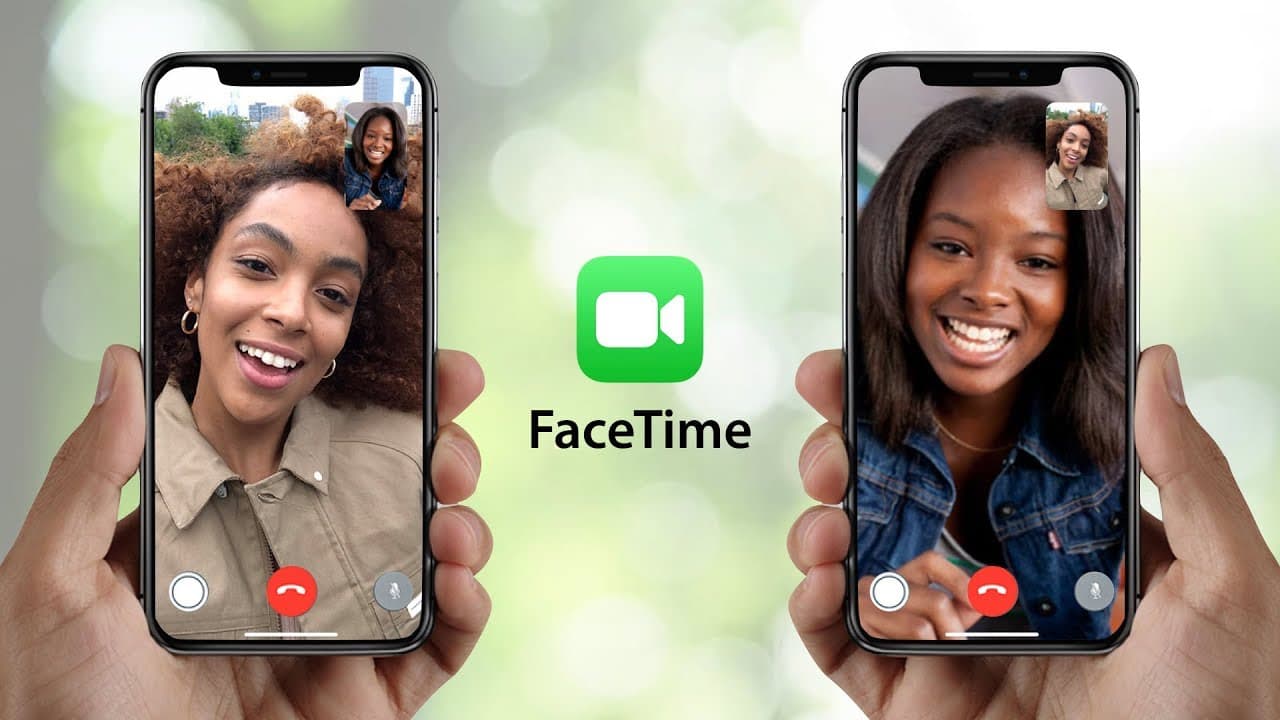
6. FaceTime: Seamless Calling for Apple Users
Best for: Users fully invested in the Apple ecosystem who primarily communicate with other Apple device owners.
FaceTime is Apple's answer to video and audio calling, built directly into every iPhone, iPad, and Mac. It offers exceptional quality and seamless integration across Apple devices, making it the obvious choice for users who live within Apple's ecosystem.
Key Features:
-
Zero Setup Required: FaceTime works automatically on all Apple devices using your Apple ID, no registration, no configuration needed.
-
HD Audio and Video: Industry-leading call quality with support for 1080p video on newer devices and spatial audio on compatible hardware.
-
SharePlay: Watch videos, listen to music, or share your screen together during FaceTime calls, creating shared experiences remotely.
-
Portrait Mode: Blur your background during video calls for a more professional appearance without dedicated equipment.
-
Center Stage: On supported iPads, the camera automatically pans and zooms to keep you centered in frame as you move.
-
Grid View: See multiple participants at once in a tiled layout, making group conversations feel more natural.
-
FaceTime Links: Create shareable links that let Android and Windows users join FaceTime calls through their web browsers.
-
Handoff: Start a FaceTime call on one device and seamlessly transfer it to another Apple device mid-conversation.
-
Reactions: Visual effects like hearts, thumbs up, or fireworks that respond to hand gestures during calls.
Why Choose FaceTime:
If everyone you communicate with uses iPhones or Macs, FaceTime is unbeatable. The integration is so seamless it feels like magic, you can start a call from your iPhone while walking home, then transfer it to your Mac when you sit down at your desk without interruption. The call quality consistently surpasses competitors, with crisp audio and smooth video even on lower-bandwidth connections.
FaceTime's simplicity is its superpower. There are no accounts to manage, no settings to configure, and no learning curve. It just works, every time. For families where everyone uses Apple devices, FaceTime becomes the natural communication method, grandparents can answer video calls as easily as they answer phone calls.
Pricing: Completely free, included with all Apple devices at no additional cost.
Limitations: Primarily limited to Apple devices (though FaceTime links allow browser access for other platforms, the experience is degraded). Cannot call regular phone numbers or landlines. Requires all participants to have Apple devices or compatible browsers. No business-oriented features like call recording or transcription. Not practical for cross-platform teams or organizations.
Ideal For: Personal communication within families or friend groups where most or all participants use Apple devices. Perfect for users who value simplicity and quality over features and flexibility.

7. Discord: Community-Focused Communication
Best for: Gaming communities, hobby groups, online communities, and casual team collaboration that prioritizes voice chat and community building.
Discord was originally built for gamers who needed low-latency voice chat during gameplay, but it has evolved into a versatile platform used by study groups, book clubs, hobbyist communities, and even some businesses. Its unique server-based structure creates persistent communities rather than one-off conversations.
Key Features:
-
Server Structure: Create or join servers (communities) with multiple text and voice channels organized by topic or purpose.
-
Voice Channels: Always-on voice rooms where people can drop in and out casually, perfect for hanging out or collaborating.
-
Screen Sharing: Share your screen during voice or video calls, with high-quality streaming that's optimized for gaming and content.
-
Custom Bots: Thousands of bots available for moderation, music, games, productivity, and custom functionality.
-
Role-Based Permissions: Sophisticated permission system lets you control who can see, read, or participate in different channels.
-
Rich Media Support: Embed videos, images, GIFs, and links directly in chat with automatic previews.
-
Go Live: Stream your screen or specific applications to your community with minimal setup.
-
Threads: Create organized sub-conversations within channels to keep discussions focused and easy to follow.
-
Stage Channels: Host audio events with designated speakers and listeners, perfect for AMAs, podcasts, or presentations.
Why Choose Discord:
Discord excels at creating spaces where communities can gather and interact organically. Unlike traditional communication tools that focus on direct messaging or scheduled meetings, Discord enables spontaneous interaction. Voice channels function like virtual rooms, you can see who's hanging out and join them with a click, mimicking the casual social dynamics of in-person spaces.
For international communities, Discord provides free, unlimited voice and video calling with surprisingly good quality. The platform handles large groups well, with voice channels supporting hundreds of simultaneous participants (though practical limits depend on server capacity).
The customization options are extensive. Bots can automate moderation, provide entertainment, integrate with other services, or add completely custom functionality. Servers can be tailored to match your community's culture and needs.
Pricing: Free for unlimited users and basic features. Discord Nitro ($9.99/month) adds higher upload limits, better video quality, and cosmetic perks. Server Boosting ($4.99/month per boost) unlocks enhanced features for entire servers.
Limitations: Not designed for formal business communication or professional client calls. Cannot call regular phone numbers or landlines. The informal, gaming-oriented culture may not translate well to serious business contexts. Can feel overwhelming for new users due to the abundance of features and server-specific customization.
Ideal For: Online communities, hobby groups, casual team collaboration, and any scenario where building a persistent community space matters more than professional communication features.

8. RingCentral: Enterprise-Grade Phone System
Best for: Growing businesses and established enterprises that need a comprehensive, professional phone system with advanced calling features, CRM integration, and reliable support.
RingCentral is a mature, full-featured Unified Communications as a Service (UCaaS) platform designed for serious business use. It combines VoIP calling, video conferencing, team messaging, and fax into a single, professionally managed system that scales from small teams to global enterprises.
Key Features:
-
Complete Phone System: Auto-attendants, call queues, call forwarding, voicemail-to-email, and sophisticated routing rules that rival traditional PBX systems.
-
Global Coverage: Local phone numbers available in over 100 countries, making it easy to establish local presence anywhere.
-
CRM Integration: Native integrations with Salesforce, Microsoft Dynamics, Zendesk, and dozens of other business tools for click-to-call and automatic logging.
-
Advanced Analytics: Detailed call analytics, quality monitoring, and reporting to track team performance and identify improvement opportunities.
-
Call Recording: Record calls automatically or on-demand with secure storage and easy retrieval for training, compliance, or quality assurance.
-
Multi-Level IVR: Build sophisticated phone trees and interactive voice response systems to route callers efficiently.
-
Desk Phone Support: Works with physical desk phones for employees who prefer traditional handsets, or use softphones on computers and mobile devices.
-
Video Meetings: RingCentral Video (powered by RingCentral's own technology) provides professional video conferencing for up to 200 participants.
-
Team Messaging: Built-in chat platform with file sharing, task management, and integration with all calling features.
-
24/7 Enterprise Support: Dedicated support teams with SLAs for response times, plus extensive documentation and training resources.
Why Choose RingCentral:
RingCentral represents the gold standard for business phone systems. If your company needs features like call whisper (where supervisors can coach agents during calls without the customer hearing), hot desking (where any employee can log into any phone), or sophisticated call analytics to optimize operations, RingCentral delivers.
The platform is remarkably reliable, with 99.999% uptime SLAs on enterprise plans. For businesses where phone communication is critical, sales teams, customer support centers, service businesses, this reliability is essential. The system just works, consistently, everywhere.
International calling is built into the platform with competitive rates and the option to purchase unlimited calling plans for specific countries. Having local numbers in multiple countries creates a professional impression and makes it easier for customers to reach you.
Pricing: Essentials plan starts at $19.99/month per user (billed annually). Standard plan $27.99/month includes video conferencing and integrations. Premium ($34.99/month) and Ultimate ($49.99/month) plans add advanced features and support. Enterprise pricing available for large deployments.
Limitations: Expensive compared to consumer alternatives, the per-user monthly cost adds up quickly for larger teams. Complex feature set has a learning curve for administrators and users. Overkill for individuals or very small teams who only need basic calling. International calling rates, while reasonable, may not be the absolute cheapest available.
Ideal For: Businesses that need reliable, professional phone systems with advanced features, compliance capabilities, and the support resources to ensure smooth operations. Perfect for companies transitioning from traditional phone systems to cloud-based solutions.
Choosing the Best Alternative to Skype
Factors to Consider for International Calls
When evaluating a communication platform, consider these technical requirements:
-
Call Quality: Does the app handle low-bandwidth situations?
-
Cost: Are you paying for a subscription or low-cost international rates per minute?
-
Reach: Can you call landlines or only other users on the same app?
-
Features: Does it support call recording, video call options, and group chat?
Evaluating Free and Paid Options
Pricing structures generally fall into three categories:
Free Tiers: Ideal for personal use. Apps like WhatsApp and FaceTime offer unlimited voice and video calls between users but cannot dial a standard phone number.
Pay-As-You-Go: Services like BoraPhone and MyTello are best for those who only need an occasional international call without a monthly commitment.
Subscription Models: Microsoft Teams and RingCentral provide a full business phone system for a monthly fee, including video conferencing and team chat.
Business Communication Needs
For professional environments, a skype replacement must offer more than just a video call. It needs to function as a complete communication tool, offering video meeting stability, call recording for compliance, and integration with CRM systems. Platforms like Zoom Phone and Microsoft Teams have become the primary business communication hubs in 2026.
Comparative Analysis of Skype Alternatives
Choosing the best skype alternative requires balancing technical robustness with ease of use. While a platform like Discord is exceptional for persistent group chat and casual hanging out, it lacks the business phone system infrastructure, such as IVR and extension routing, required for professional environments. On the other end of the spectrum, RingCentral provides enterprise-grade VoIP that is likely overkill for someone simply trying to reach a friend’s phone number abroad.
Pricing Structures
The pricing structure of a Skype alternative is a critical factor to consider, as it directly impacts your ongoing costs:
Free Tiers: Many apps offer free plans with basic features like voice call, video call, and chat, which might be sufficient for personal use. WhatsApp and FaceTime are completely free but can't call landlines. Discord offers generous free features for community communication. Zoom's free plan works for small meetings under 40 minutes.
Pay-As-You-Go Models: Services like BoraPhone and MyTello charge only for minutes used, making them cost-effective for occasional callers or unpredictable usage patterns. You buy credits when needed and use them at your own pace. This model provides the most flexibility and cost control.
Subscription Models: Platforms like Microsoft Teams, Zoom, and RingCentral charge monthly or annual per-user fees. These subscriptions often include a bundle of features and sometimes unlimited domestic calling. However, international calls often require additional calling plans or credits on top of base subscriptions.
Hybrid Models: Some providers combine subscription bases with pay-per-use international calling. You might pay $20/month for unlimited U.S./Canada calling plus team features, then pay per-minute rates for calls to other countries.
Hidden Costs: Watch for setup fees, per-user minimums, charges for essential features marketed as "add-ons," expensive support contracts, and unfavorable international calling rates that negate apparent subscription savings.
Compare the pricing models carefully based on your actual usage patterns. A subscription that seems economical might cost far more than pay-as-you-go if you're not using it heavily. Conversely, frequent users might save with unlimited plans despite higher monthly costs.
User Experience and Interface
The user experience and interface of a Skype alternative significantly impact its usability and your willingness to actually use it:
Intuitive Design: The best Skype alternative should have an intuitive interface that is easy to navigate, whether on desktop or mobile devices. Clear icons, simple menus, and straightforward controls enhance the user experience, making it easier to initiate voice and video calls, manage contacts, and access features like group chat.
Learning Curve: Some platforms like BoraPhone and WhatsApp are immediately understandable, you can make your first call within seconds. Others like Microsoft Teams or RingCentral require training and familiarization before users feel comfortable. Consider your team's technical proficiency when selecting platforms.
Cross-Platform Consistency: Does the experience feel consistent across web, desktop, and mobile? Inconsistent interfaces force users to relearn the platform on each device, creating friction and frustration.
Performance: Speed matters. How quickly does the app load? How fast can you initiate calls? Are there frustrating loading times or laggy interfaces? These seemingly small issues compound over time and affect productivity.
Accessibility: Consider whether the platform supports accessibility features like screen readers, keyboard navigation, closed captions, and adjustable text sizes for users with different needs.
A clunky or confusing interface can lead to frustration and hinder efficient communication. Many users looking to replace Skype prioritize ease of use, especially when dealing with international communication, ensuring the chosen platform facilitates seamless personal use without unnecessary complications.
Conclusion: The Best Skype Alternative for You

Final Thoughts on Skype Replacements
In conclusion, the best Skype alternative depends on your specific needs, usage patterns, and priorities:
For instant browser-based calling: BoraPhone offers the most straightforward path from "I need to make a call"
Encouraging Users to Explore Options
As technology evolves, it’s essential to stay informed about the latest Skype alternatives. Experiment with free plans and trials to find an app that aligns with your needs. Read reviews, compare features, and consider the long-term cost and benefits. By exploring different communication platforms, you can discover the best alternative to Skype that enhances your communication experience, whether for business communication or personal use. As we approach 2025 and beyond, keeping an open mind and exploring options will ensure you remain connected with the best alternatives to Skype to replace Skype.
Related Guides

Written by
Serpius DentoSerpius works with communication and customer relations at BoraPhone. With hands-on experience helping users navigate international calling, he writes practical guides based on real conversations with customers worldwide.
Recent Posts
5 Minute Free Call: Where to Actually Get Free Minutes in 2026
Looking for a 5 minute free call online? Here is every service that gives you free calling minutes, how many you really get, and how to make a short free call to any country right now.
How to Call a Phone from Google: Every Option Explained
Can you call a phone number from Google? Yes, several ways: Google Voice, Google Meet, Assistant, and search. Here is how each works, what it costs, and what to use instead when Google says no.
How to Call Internationally Without an App (2026 Guide)
You do not need to download anything to call another country. Browser calling, direct dialing, calling cards, and roaming-free options compared, with real costs for each.