
How to Make International Calls in 2026: Free Options and What They Really Cost

There are more ways to make international calls in 2026 than at any point in history. That sounds like good news, until you try to figure out which one actually makes sense for your situation. Carrier plans, calling cards, VoIP apps, browser-based services, and messaging apps all compete for your attention, each claiming to be the cheapest or most convenient option.
We compared every major method side by side, testing real call quality, calculating true per-minute costs (including hidden fees), and measuring how quickly you can actually get connected. Here is what we found.
The Five Main Methods, Ranked
1. Browser-Based VoIP: Best Overall
What it is: You open a website in your browser, enter a phone number, and call. No downloads, no apps, no hardware. The call routes over the internet to the recipient's actual phone number, whether it is a mobile or landline anywhere in the world.
Why it wins: Browser-based VoIP combines the lowest friction with competitive rates. There is nothing to install, it works on any device with a browser, and you can be making a call within 30 seconds of signing up.
BoraPhone is the leading service in this category. Key advantages include rates starting at $0.02/minute depending on destination, no subscription or contract required (pay as you go, starting at $5), a transparent rate calculator that shows costs before you dial, encrypted calls with HD voice quality, and a free first call to test the service.
Real-world test: We called numbers in 12 countries over two weeks. Connection time averaged under 3 seconds. Audio clarity was consistently strong on WiFi and 4G connections. The browser interface means you can call from a work laptop, a Chromebook, a tablet, or a phone, whatever is in front of you.
Best for: Remote workers, digital nomads, freelancers, anyone who needs to call real phone numbers abroad without the overhead of apps or subscriptions. Especially strong for desktop users, since BoraPhone's data shows 85% of calls come from desktop browsers.
2. App-to-App Calling (WhatsApp, FaceTime, Telegram): Best for Personal Calls
What it is: Both you and the recipient use the same messaging app. Calls route entirely over the internet with zero cost beyond your data plan.
Why it is great: It is genuinely free, the quality is good on decent connections, and most people you know probably already have WhatsApp or FaceTime installed. WhatsApp alone has over 2 billion users globally.
Where it falls short: You can only call people who have the same app and an internet connection. You cannot reach landlines, business phone lines, government offices, or anyone who does not have the app installed. There is no caller ID for the recipient, and call quality degrades significantly on weak connections.
Real-world limitation: If you are calling a doctor's office in São Paulo, a hotel in Tokyo, or your grandmother's landline in rural Poland, app-to-app calling simply does not work.
Best for: Staying in touch with family and friends who already use the same app and have reliable internet access.
3. Dedicated VoIP Apps (Skype, Viber Out, Rebtel): Established but Aging
What it is: Download a desktop or mobile app, buy credits or a subscription, and call phone numbers worldwide. These services have been around for 10–15+ years and have large existing user bases.
Why they still work: Established infrastructure, predictable quality, and subscription plans that can be economical for heavy callers to specific countries. Skype's monthly plans to individual countries (like unlimited calls to India for ~$7/month) can make sense if you call one country very frequently.
Where they are losing ground: Every one of these services requires a software download and account setup. Skype has become bloated over the years, with slow startup times and interface clutter. Viber's calling features are buried inside a messaging app. Rebtel's pricing structure is confusing. Connection fees ($0.05–$0.10 per call on Skype) add up for short calls.
Real-world frustration: Updating the app before an important call, navigating cluttered interfaces to find the dialer, and dealing with version compatibility issues across devices.
Best for: Users who already have an account and call one or two countries frequently enough to justify a monthly subscription.
4. Carrier International Plans: Convenient but Expensive
What it is: Your mobile carrier (AT&T, T-Mobile, Verizon, etc.) offers add-on packages that reduce international calling rates from their standard $1–$5/minute to something more reasonable.
How pricing works:
T-Mobile Magenta plans include unlimited texting and 2G data in 215+ countries, but voice calls still cost $0.25/minute. The Stateside International add-on ($15/month) drops rates significantly to specific countries. AT&T International Day Pass costs $12/day for calls, texts, and data while traveling. Verizon's International Calling plan is $10/month for reduced rates.
Where they fall short: Even with add-ons, per-minute rates are substantially higher than VoIP alternatives. You are paying a monthly fee regardless of usage. Rate transparency is poor, and it is difficult to know your exact per-minute cost until the bill arrives. Coverage and rates vary significantly by destination country.
The math problem: T-Mobile's $15/month Stateside International add-on gives you $0.01/min to many countries. That sounds great, until you realize you need to make 750 minutes of international calls per month just to match the value of buying $5 in BoraPhone credits (at roughly the same per-minute rate with no monthly commitment).
Best for: People who make very frequent international calls to countries covered by their carrier's plan and value the simplicity of dialing directly from their phone.
5. Calling Cards: Cheapest Headline Rate, Most Hidden Costs
What it is: Purchase prepaid credits, either physically at a convenience store or digitally through an app, and dial through an access number to reach international phone numbers.
The pricing trap: Calling cards advertise eye-catching rates like "$0.01/minute to India!" But the true cost includes connection fees ($0.50–$1.00 per call), maintenance fees ($0.50–$1.00/week for inactive cards), rounding penalties (billing in 3 or 4-minute increments), and expiration (unused credits vanish after 30–90 days).
A card advertising 1 cent per minute frequently costs 10–15 cents per minute once all fees are factored in.
The user experience: Dial the access number, enter your PIN, dial the international number. Three steps before the phone even rings on the other end. Some cards require dialing a 1-800 number first, which adds another 10–15 seconds. If the call drops, you start the entire process over.
Best for: Callers in areas with poor internet who need to reach specific high-traffic corridors (US to Mexico, US to Philippines) and are willing to do the math on true per-minute costs.
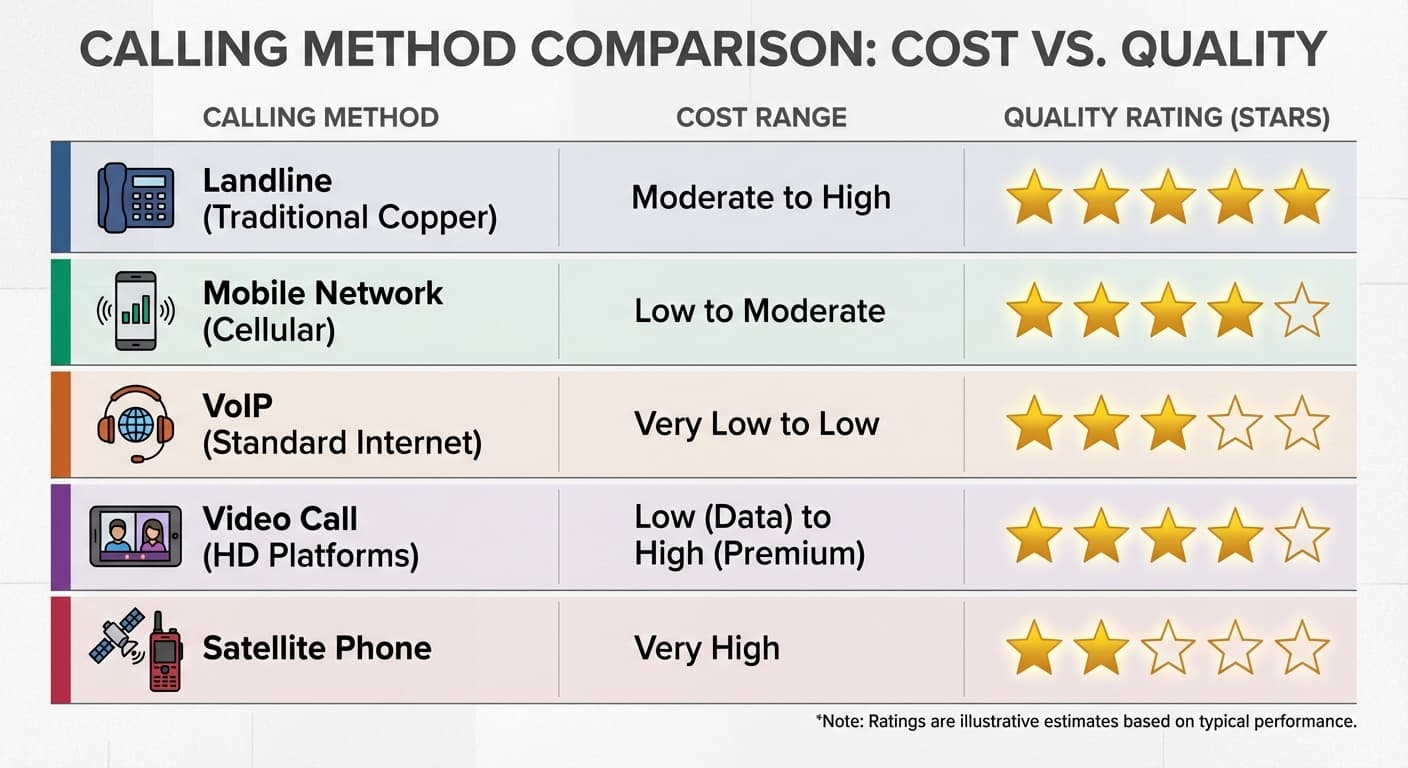
Complete Feature Comparison Table
| Feature | Browser VoIP (BoraPhone) | App-to-App (WhatsApp) | VoIP Apps (Skype) | Carrier Plans | Calling Cards |
|---|---|---|---|---|---|
| Reach landlines | Yes | No | Yes | Yes | Yes |
| Reach mobiles | Yes | Only with app | Yes | Yes | Yes |
| Download required | No | Yes | Yes | No | No (but access # needed) |
| Monthly fee | None | None | Optional | $10–$15/mo | None |
| Starting rate | $0.02/min | Free | $0.02/min + fees | $0.25/min (varies) | $0.01/min + hidden fees |
| Setup time | 30 seconds | Minutes (app install) | Minutes (app install) | Phone call to carrier | Purchase + PIN setup |
| Call encryption | Yes | End-to-end | Yes | Carrier-grade | No |
| Caller ID | Yes | App-based | Optional (paid) | Your number | Access number shows |
| Works on desktop | Yes (browser) | Web version (limited) | Yes (app) | No | Yes (any phone) |
| Free trial | Yes (first call) | Free (app-to-app) | Free (Skype-to-Skype) | No | No |
How to Choose: Decision Framework
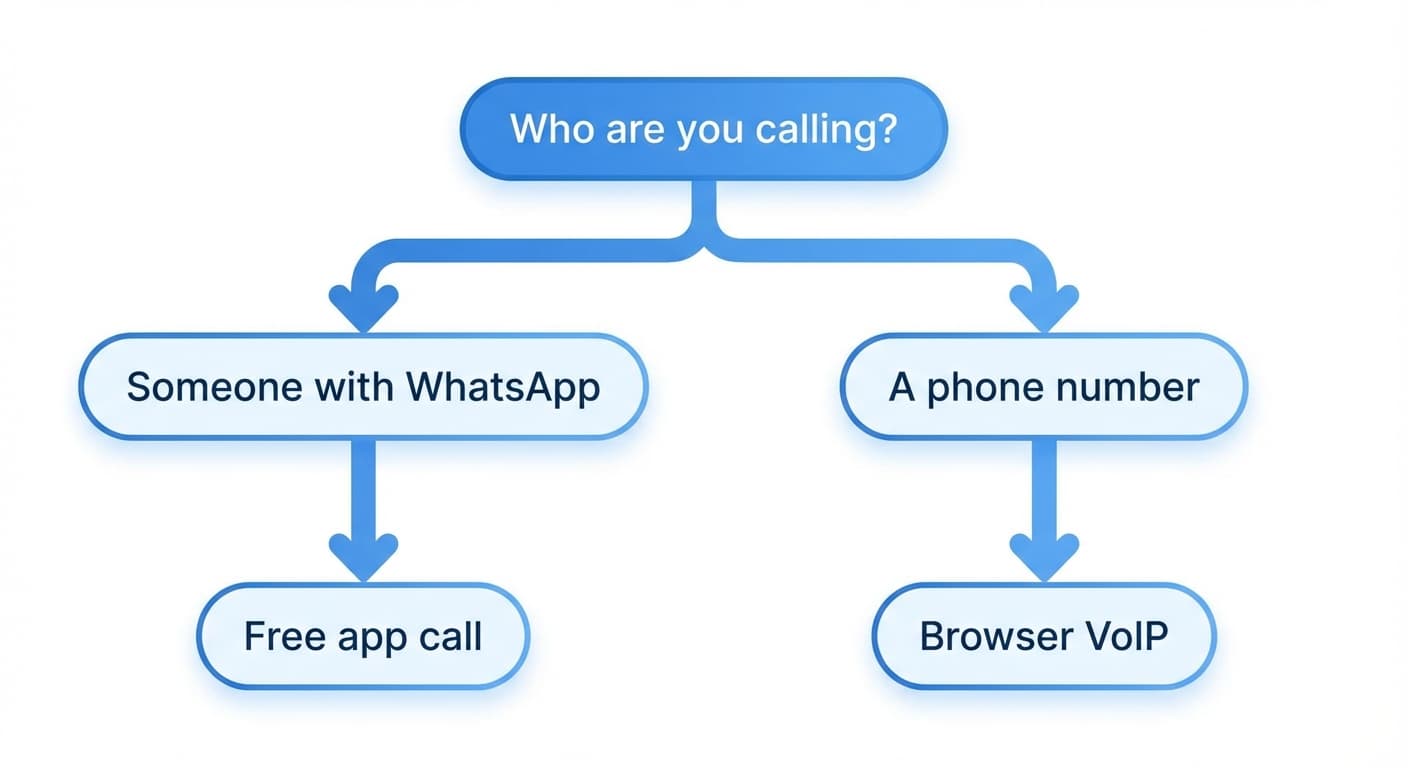
"I need to call a real phone number abroad right now."
→ Use BoraPhone. Open your browser, sign up in 30 seconds, and dial. Check rates first.
"I am calling someone who uses WhatsApp/FaceTime."
→ Use app-to-app calling. It is free and simple.
"I call one specific country 10+ hours per month."
→ Compare BoraPhone's pay-as-you-go rates with Skype's country subscription. Do the math for your specific destination using the rate calculator.
"I just need to make one or two short international calls."
→ BoraPhone's free first call lets you test without any commitment. After that, $5 in credits goes a long way at $0.02–$0.09/minute.
"I travel internationally and need to call local and international numbers."
→ Browser-based VoIP works everywhere with WiFi. No roaming charges, no carrier add-ons, no SIM swapping needed.
The Hidden Factor: Time
Every comparison focuses on per-minute cost, but there is another cost most people ignore: the time it takes to set up and use each method.
Setting up a carrier international plan means calling your provider, navigating menus, and waiting for the add-on to activate. Buying a calling card means finding a retailer or downloading an app, funding the account, and memorizing a PIN. Installing Skype means downloading the app, creating an account, adding payment, and updating the software when prompted.
Opening a browser tab and dialing takes 30 seconds.
For many people, especially those who make international calls occasionally rather than daily, the setup time and friction matter as much as the per-minute rate. A method that costs 2 cents per minute but takes 10 minutes to set up is effectively free compared to a method that costs 1 cent per minute but requires 30 minutes of account setup and app downloads.
Frequently Asked Questions
What is the absolute cheapest way to call internationally?
For app-to-app calls, WhatsApp and FaceTime are free. For calling actual phone numbers, browser-based VoIP services like BoraPhone offer rates starting at $0.02/minute with no subscription fees, making them the cheapest practical option for reaching landlines and mobiles.
Do I need a special phone or device for VoIP calls?
No. Browser-based services work on any device with an internet connection and a web browser: laptop, tablet, smartphone, or desktop. There is nothing to download or install.
Is call quality good with internet-based calling?
Modern VoIP services use enterprise-grade infrastructure with HD voice. On a standard WiFi or 4G connection, call quality is comparable to or better than traditional phone calls. The key factor is your internet connection speed, and at least 1 Mbps upload speed is recommended.
Can I call emergency services through VoIP?
No. VoIP services, including BoraPhone, are not designed for emergency calls. Always use your regular phone or carrier connection for emergency services (911 in the US).
How do international calling rates work?
Rates are set per destination country, and sometimes differ between landline and mobile numbers within the same country. Services like BoraPhone show the exact per-minute rate before you dial using their rate calculator, so you know the cost upfront.
Last updated: April 2026. All rates and features are based on publicly available information and our independent testing. Rates may change, so verify current pricing through each provider's website.

Written by
Serpius DentoSerpius works with communication and customer relations at BoraPhone. With hands-on experience helping users navigate international calling, he writes practical guides based on real conversations with customers worldwide.
Recent Posts
5 Minute Free Call: Where to Actually Get Free Minutes in 2026
Looking for a 5 minute free call online? Here is every service that gives you free calling minutes, how many you really get, and how to make a short free call to any country right now.
How to Call a Phone from Google: Every Option Explained
Can you call a phone number from Google? Yes, several ways: Google Voice, Google Meet, Assistant, and search. Here is how each works, what it costs, and what to use instead when Google says no.
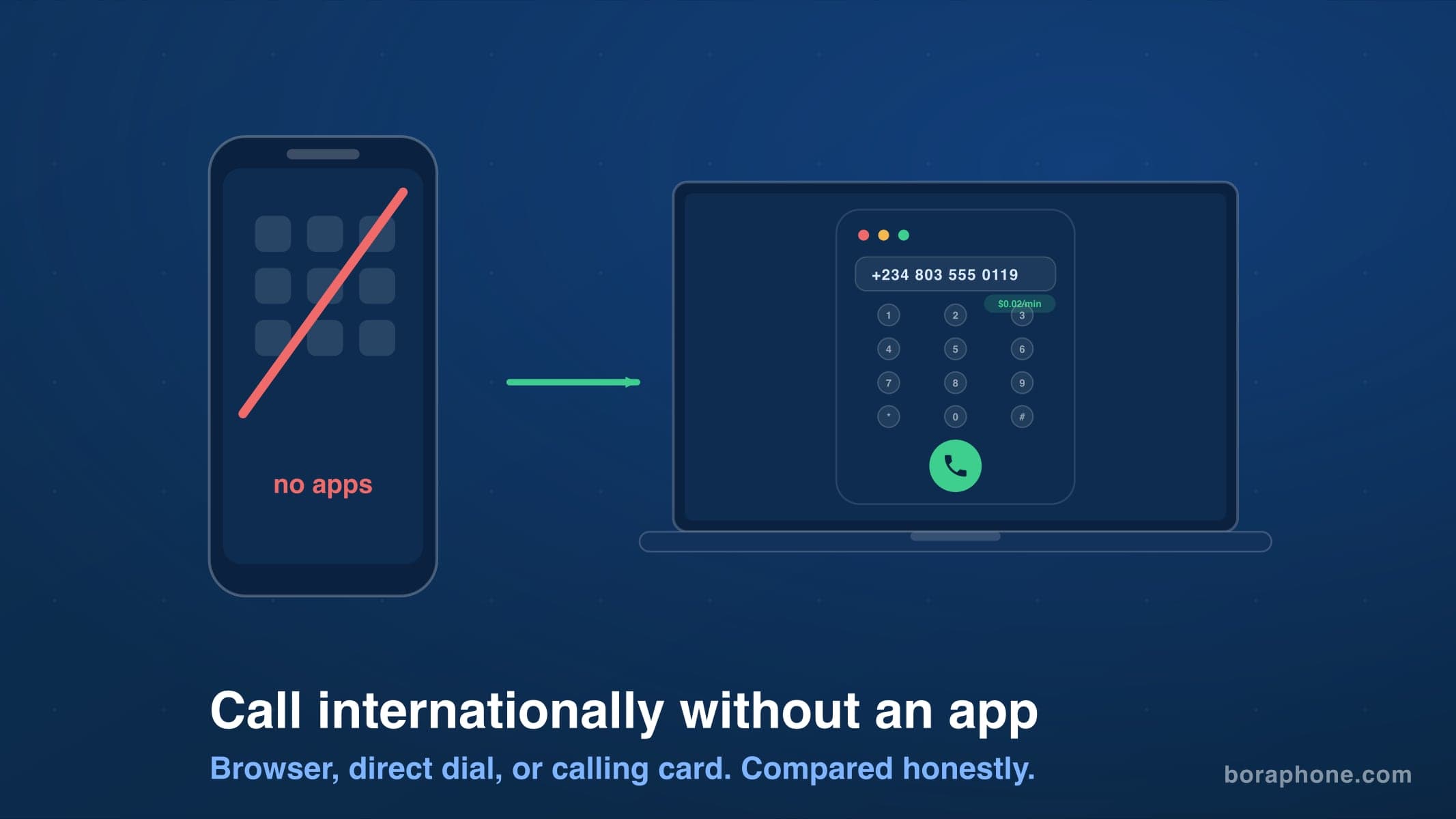
How to Call Internationally Without an App (2026 Guide)
You do not need to download anything to call another country. Browser calling, direct dialing, calling cards, and roaming-free options compared, with real costs for each.